
Google Chat
Google LLCRating4.4

Installs
10,000,000+
Developer
Google LLC
Category
Business
Content Rating
Rated for 3+
Developer Email
apps-help@google.com
Privacy Policy
http://www.google.com/policies/privacy
Screenshots
About this app
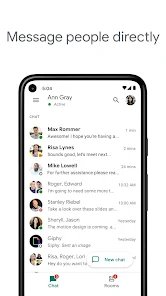
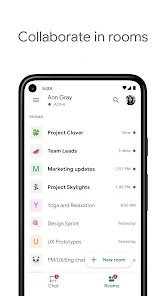
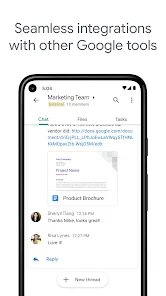
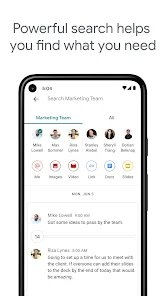
Google Chat is a team messaging and collaboration app from Google LLC, built for workplaces and organizations that rely on Google Workspace. It lets coworkers exchange direct messages, create group conversations, and organize ongoing work in dedicated spaces with threaded discussions. Members can share files from Google Drive, assign tasks, and jump into Google Meet calls without leaving the conversation. Because it integrates tightly with Gmail, Docs, and Calendar, Google Chat suits remote teams, hybrid offices, and project groups that already use Google tools. The app supports search across message history, custom notifications, and bots that automate routine updates. It is aimed at professionals, managers, and distributed teams who need a structured, searchable alternative to scattered email threads.
Expert Review
Google Chat earns its place for organizations already invested in Google Workspace, where its value compounds through deep links to Gmail, Drive, Docs, and Calendar. The spaces model handles project communication well, keeping threaded conversations, shared files, and assigned tasks in one searchable location. Direct messaging is fast, search is reliable, and the Meet integration removes friction when a chat needs to become a call. Bots and automations add genuine flexibility for teams willing to configure them. The honest limitation is that Google Chat feels noticeably weaker outside the Google ecosystem; it lacks the polish and large third-party app marketplace of competitors like Slack, and its interface has shifted several times, which can confuse returning users. For Workspace customers it is a sensible, cost-effective hub, but standalone teams may find richer options elsewhere with broader integrations.
Key Functional Highlights
- Direct and group messaging
- Spaces with threaded conversations
- Built-in task assignment
- Google Drive file sharing
- One-tap Google Meet calls
Advantages & Benefits
- Works seamlessly with Google Workspace
- Searchable message history
- Reduces cluttered email threads
- Keeps project files and chats together
- No separate sign-in for Google users
More Apps
-

ESPN
Disney4.3
-

FOX Sports: Watch Live Games
Fox Digital Services, LLC3.7
-

Subway®
SUBWAY Restaurants4.2 -

Zoom - One Platform to Connect
zoom.us4.1 -
Amazon Shopping
Amazon Mobile LLC4.1 -

Sam's Club: Shopping & Savings
Sam's Club4.8 -

WhatsApp Messenger
WhatsApp LLC4.5 -

Telegram
Telegram FZ-LLC4.2 -

PayPal - Send, Shop, Manage
PayPal Mobile4.3