
CapCut - Video Editor
Bytedance Pte. Ltd.Rating4

Installs
1B+
Developer
Bytedance Pte. Ltd.
Category
Video Players & Editors
Content Rating
Teen
Developer Email
capcut.support@bytedance.com
Privacy Policy
https://sf16-draftcdn-sg.ibytedtos.com/obj/ies-hotsoon-draft-sg/capcut/via_clause_privacy_policy_en.html
Screenshots
About this app
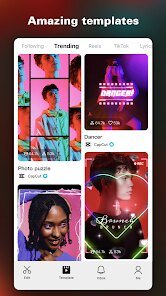
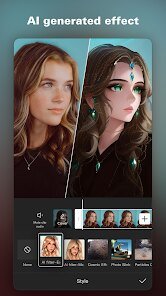
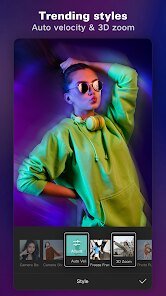
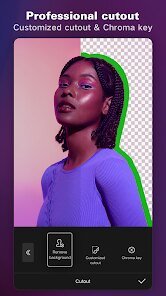
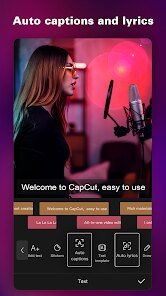
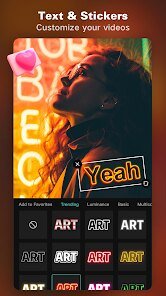
CapCut is a free video editing app from ByteDance that helps users create polished videos for social media and personal projects on their phones. It offers a full timeline editor with trimming, splitting, speed control, transitions, and multi-layer editing, alongside a large library of effects, filters, stickers, fonts, and royalty-free music. CapCut includes auto-captions, background removal, and a range of AI-powered tools that simplify common editing tasks. Ready-made templates let users drop in their clips and produce trend-style videos quickly, making it popular with TikTok and short-form creators. The app suits beginners who want fast, attractive results as well as more experienced editors who need granular control, all without the cost or complexity of desktop editing software.
Expert Review
CapCut has become a default mobile video editor for good reason: it packs a surprising amount of capability into a free, approachable app. The timeline is genuinely flexible, supporting multiple layers, keyframes, and precise speed adjustments, while features like auto-captions and one-tap background removal save real time. The template system is the standout, letting newcomers produce trend-ready videos in minutes. The growing set of AI tools further lowers the barrier to professional-looking edits. There are considerations to keep in mind. Exporting can be slow and demanding on older devices, and some of the most appealing effects and AI features sit behind a paid Pro subscription. Users should also review which assets are free versus premium before building a project around them, and stay aware of terms around AI-generated content. For mobile-first creators, though, CapCut offers exceptional value and one of the most complete editing toolkits available.
Key Functional Highlights
- Multi-layer timeline with trimming, splitting, and speed control
- Large library of effects, filters, transitions, and music
- Automatic captions generated from audio
- One-tap background removal
- Ready-made templates for quick trend-style videos
Advantages & Benefits
- Create professional-looking videos without desktop software
- Free access to a powerful core editing toolkit
- Templates make fast, attractive videos easy for beginners
- AI tools speed up tedious editing tasks
- Royalty-free music and assets simplify content creation
More Apps
-

ESPN
Disney4.3
-

FOX Sports: Watch Live Games
Fox Digital Services, LLC3.7
-

Subway®
SUBWAY Restaurants4.2 -

Zoom - One Platform to Connect
zoom.us4.1 -

Amazon Shopping
Amazon Mobile LLC4.1 -

Sam's Club: Shopping & Savings
Sam's Club4.8 -

WhatsApp Messenger
WhatsApp LLC4.5 -

Telegram
Telegram FZ-LLC4.2 -

PayPal - Send, Shop, Manage
PayPal Mobile4.3