
ChatGPT
OpenAIRating4.8

Installs
100M+
Developer
OpenAI
Category
Generative AI
Content Rating
Teen
Developer Email
support@openai.com
Privacy Policy
https://openai.com/policies/privacy-policy
Screenshots

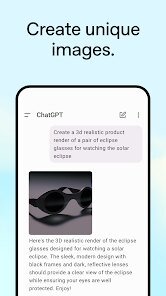
About this app
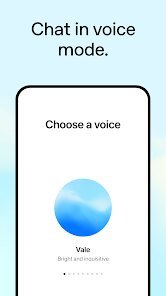
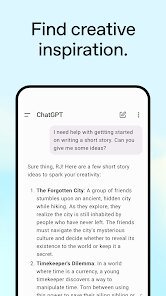
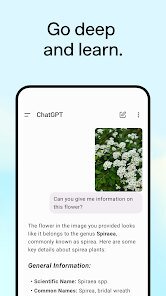
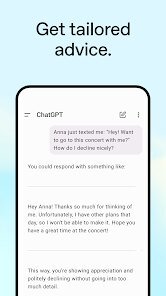
ChatGPT is the official conversational AI assistant from OpenAI, bringing large language model technology to a simple chat interface on Android and iOS. Users type or speak questions and receive natural-language answers, drafts, summaries, translations, code help, and explanations across countless topics. The app supports voice conversations, image input for visual questions, and can generate or edit text for writing, studying, brainstorming, and everyday problem-solving. It syncs conversation history across devices when signed in and offers both a free tier and paid plans with access to more capable models. ChatGPT suits students, professionals, writers, developers, and curious users who want quick, flexible help from a general-purpose AI companion.
Expert Review
ChatGPT sets the standard for mobile AI assistants, and the app reflects that maturity. The interface is clean and approachable, making advanced language models accessible to people with no technical background. Voice mode feels surprisingly natural for hands-free use, and image input adds genuine versatility for real-world questions. Response quality is strong for writing, summarizing, and ideation, though answers can occasionally be confidently wrong, so verifying important facts remains essential. The free tier is generous, but the most capable models and higher usage limits sit behind a subscription, which heavy users will notice quickly. Privacy-conscious users should review data settings, since conversations may be used to improve the service unless adjusted. Overall, it is an outstanding, well-built tool that delivers reliable everyday value, provided you treat its output as a smart draft rather than absolute truth.
Key Functional Highlights
- Natural text and voice conversations with an AI assistant
- Image input for asking questions about photos and visuals
- Drafting, summarizing, translating, and rewriting text
- Coding help with explanations and debugging support
- Synced chat history across signed-in devices
Advantages & Benefits
- Saves time on writing, research, and brainstorming tasks
- Easy enough for non-technical users to start instantly
- Hands-free voice mode for use on the go
- Generous free tier before any subscription is needed
- Flexible help across study, work, and creative projects
More Apps
-

ESPN
Disney4.3
-

FOX Sports: Watch Live Games
Fox Digital Services, LLC3.7
-

Subway®
SUBWAY Restaurants4.2 -

Zoom - One Platform to Connect
zoom.us4.1 -

Amazon Shopping
Amazon Mobile LLC4.1 -

Sam's Club: Shopping & Savings
Sam's Club4.8 -

WhatsApp Messenger
WhatsApp LLC4.5 -

Telegram
Telegram FZ-LLC4.2 -

PayPal - Send, Shop, Manage
PayPal Mobile4.3