Slack
Slack Technologies, Inc.Rating4.1

Developer
Slack Technologies, Inc.
Category
Business
Content Rating
17+
Screenshots



About this app
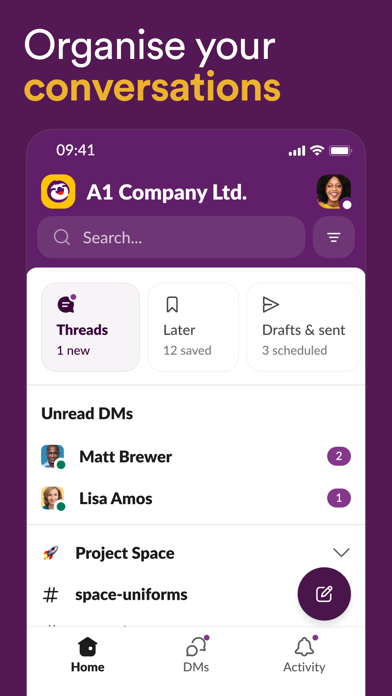
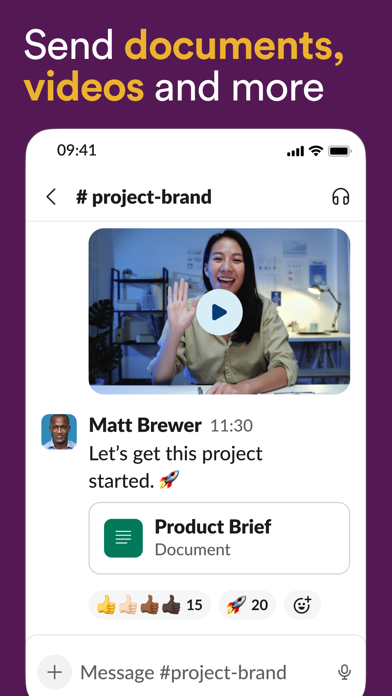
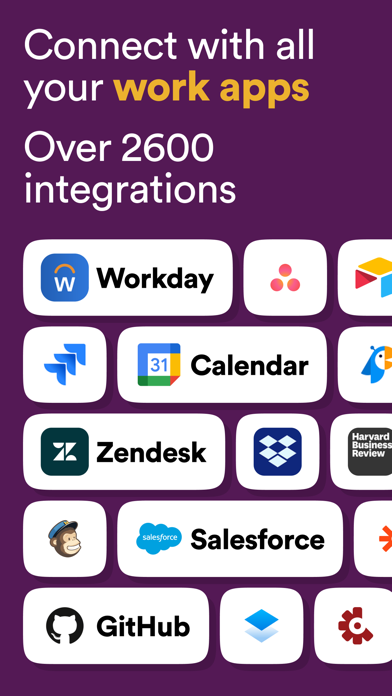
Slack is a team messaging and collaboration app from Salesforce designed to replace scattered internal email with organized, real-time communication. Conversations live in channels organized by team, project, or topic, with support for direct messages, group chats, and threaded replies that keep discussions focused. Users can share files, search across the entire workspace, and start huddles for quick audio or video conversations. Slack connects to a large library of third-party tools and supports custom apps and workflow automation, letting teams pull notifications, approvals, and updates into one place. It is built for businesses, remote teams, and organizations of any size that want faster, more transparent collaboration than traditional email allows.
Expert Review
Slack remains the benchmark for workplace chat because it makes team communication searchable, organized, and fast. Channels keep conversations out of crowded inboxes, threads prevent topics from tangling, and the deep catalog of integrations turns Slack into a hub where notifications and workflows from other tools converge. Huddles and clips add lightweight voice and video without leaving the app, and search across history is genuinely powerful. The honest drawbacks are real: Slack can become noisy and distracting without disciplined channel and notification management, and on the free plan message history and features are limited, nudging growing teams toward paid tiers that add up across many users. New members can also find the volume of channels overwhelming at first. For teams willing to set conventions, it is a productivity multiplier; without that discipline it can simply move the chaos from email into chat.
Key Functional Highlights
- Organized channels for teams and projects
- Threaded replies to keep topics focused
- Audio and video huddles
- Powerful search across messages and files
- Hundreds of third-party app integrations
Advantages & Benefits
- Cut down on internal email clutter
- Find past decisions and files quickly
- Keep remote teams aligned in real time
- Automate routine notifications and workflows
- Customize notifications to reduce distractions
More Apps
-

ESPN
Disney4.3
-

FOX Sports: Watch Live Games
Fox Digital Services, LLC3.7
-

Subway®
SUBWAY Restaurants4.2 -

Zoom - One Platform to Connect
zoom.us4.1 -
Amazon Shopping
Amazon Mobile LLC4.1 -

Sam's Club: Shopping & Savings
Sam's Club4.8 -

WhatsApp Messenger
WhatsApp LLC4.5 -

Telegram
Telegram FZ-LLC4.2 -

PayPal - Send, Shop, Manage
PayPal Mobile4.3