
Zoom - One Platform to Connect
zoom.usRating4.1

Installs
1,000,000,000+
Developer
zoom.us
Category
Business
Content Rating
Rated for 12+
Developer Email
info@zoom.us
Privacy Policy
http://zoom.us/privacy/
Screenshots
About this app
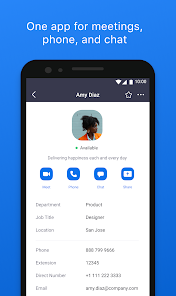
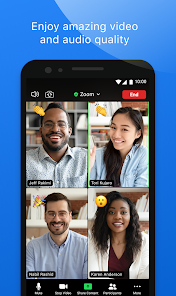
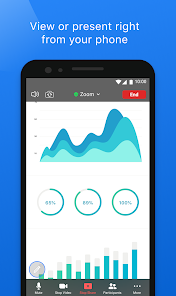
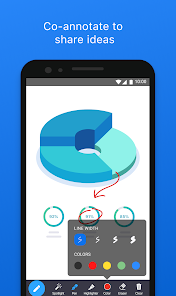
Zoom, from zoom.us, is a video communication app used for online meetings, video calls, webinars, and team collaboration. Users can host or join meetings with audio and video, share their screen, send chat messages, and use features such as virtual backgrounds and meeting recording where available. It connects participants across phones, tablets, and computers, supporting one-on-one calls and large group sessions alike. The app serves businesses, remote and hybrid teams, educators, students, and anyone needing to meet or present at a distance. Joining a meeting is typically as simple as tapping a link or entering a meeting ID. Designed around reliable real-time communication, it has become a common tool for work meetings, virtual classes, interviews, and staying in touch over video.
Expert Review
Zoom earned its place as a default video meeting tool by being reliable and easy to join, and the mobile app carries those qualities well. Its strengths are dependable call quality on reasonable connections, straightforward joining by link or meeting ID, and a familiar feature set including screen sharing, chat, and virtual backgrounds. It scales comfortably from one-on-one calls to large group sessions, which is why so many workplaces and schools adopted it. The honest limitations include meeting length and participant limits on the free tier, occasional battery and data drain during long mobile calls, and a feature set that can feel dense for newcomers. Some features depend on the host account level. For everyday video meetings, virtual classes, and remote collaboration, it remains a strong, widely supported choice, particularly when others you connect with already use it, which is often the deciding practical factor.
Key Functional Highlights
- Host and join video meetings
- Screen sharing during calls
- In-meeting chat messaging
- Virtual backgrounds and video options
- Join by link or meeting ID
Advantages & Benefits
- Easy to join with a tap
- Connect across phones and computers
- Works for small or large groups
- Widely used by workplaces and schools
- Meet and present from anywhere
More Apps
-

ESPN
Disney4.3
-

FOX Sports: Watch Live Games
Fox Digital Services, LLC3.7
-

Subway®
SUBWAY Restaurants4.2 -

Amazon Shopping
Amazon Mobile LLC4.1 -

Sam's Club: Shopping & Savings
Sam's Club4.8 -

WhatsApp Messenger
WhatsApp LLC4.5 -

Telegram
Telegram FZ-LLC4.2 -

PayPal - Send, Shop, Manage
PayPal Mobile4.3 -

Wise: International Transfers
Wise Payments Ltd.4.7